Japandi
Calm, pale and bare. Nothing extra.
Wants: Pale wood, soft linen and bare space.
Closest look-alike: Afrohemian. Japandi stays pale and plain. Afrohemian layers warm clay and hand-drawn marks.
More Japandi ideas at japandi.artblibs.com
Miniature Designs · a free game
The full guide. Both games, every button, how the scoring works, the six styles, your rewards, and how to build your room for real as a tiny paper model.
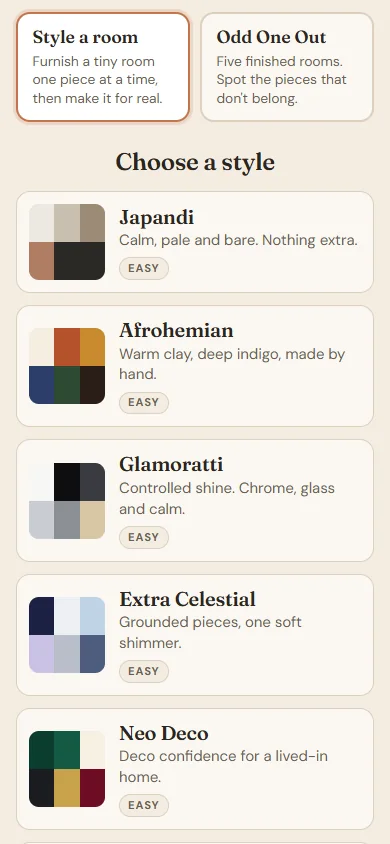
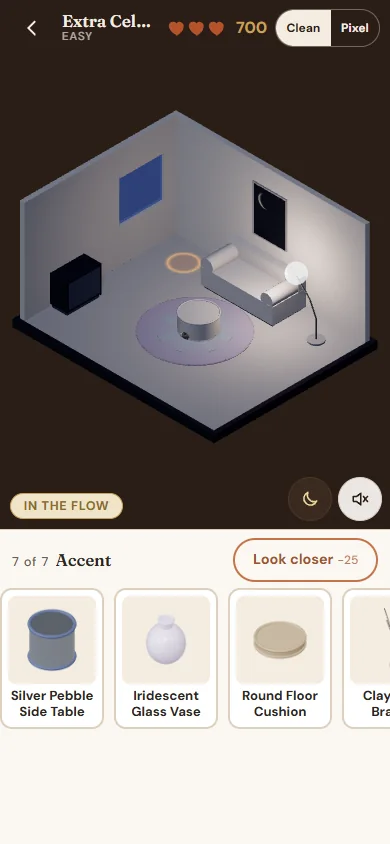
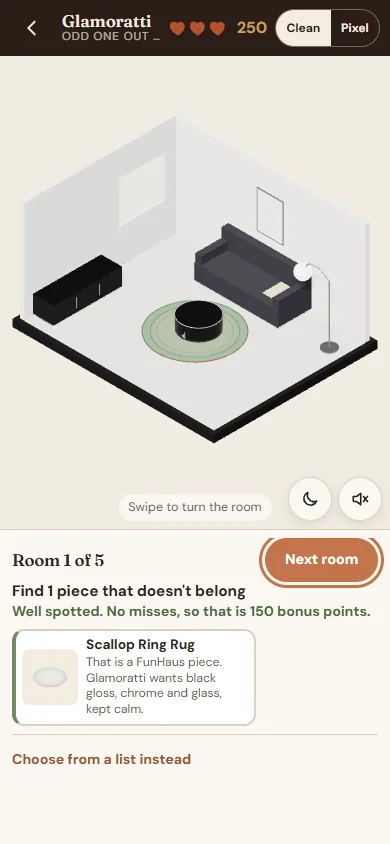
Tiny Room Stylist is a calm little game about styling tiny diorama rooms. There is no timer. Take as long as you like over every choice.
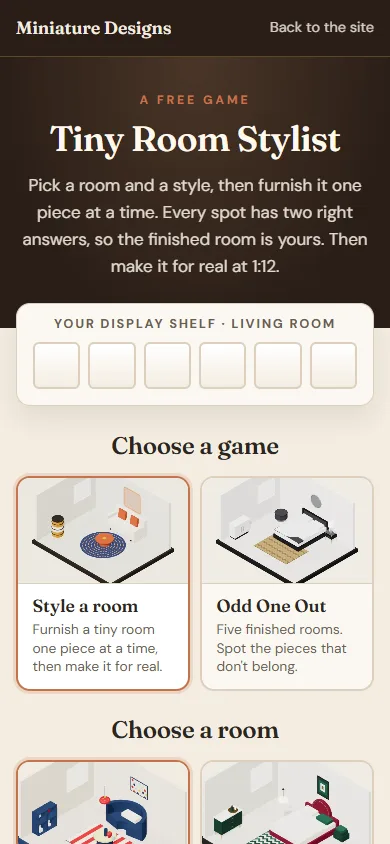
The game remembers your choice for next time.
The six little boxes at the top are your display shelf. Each time you finish a room in a style, a picture of that room fills its box. Every room has its own shelf, so switch rooms to see the others.
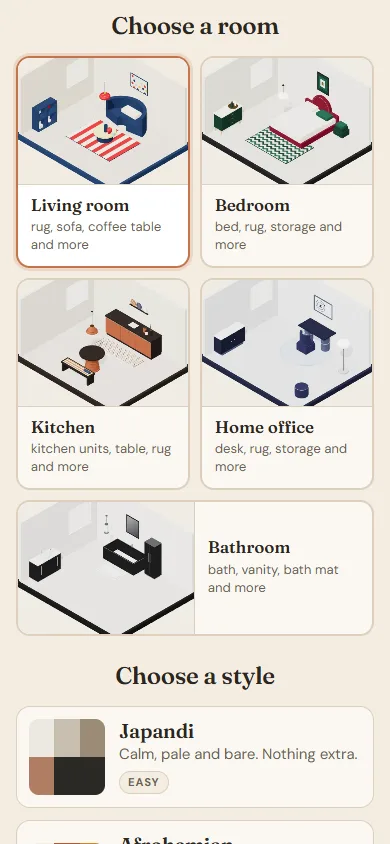
Pick a living room, bedroom, kitchen, home office or bathroom. Both games use the room you choose, and the game remembers it.
Each room card names its biggest pieces, and once you have finished a room it shows how many styles are done.
Pick one of six styles: Japandi, Afrohemian, Glamoratti, Extra Celestial, Neo Deco or FunHaus. Each card shows the style's colours, one line about it and your level in that style.
Your level, best score and shelf picture are kept for each room and style. Finishing a Japandi bedroom does not change your Japandi living room.
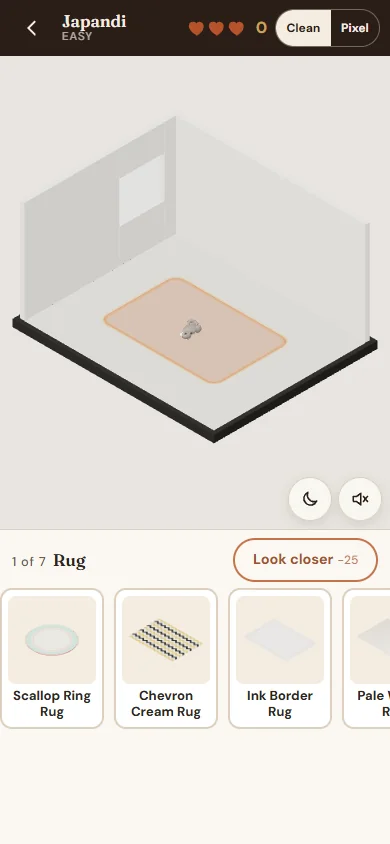
The spot you are filling glows. The room starts pale, and the colour comes back as you add the right pieces. A small grey cat lives here too.
The two round buttons in the corner switch between day and evening and turn sound on or off.
Under the room you see which spot you are on ("1 of 7 Rug"), the Look closer button, and four cards. Scroll the cards sideways to see them all.
Every room has seven spots. They fill from big to small, so the room builds naturally:
| Room | Spots, in order |
|---|---|
| Living room | Rug, sofa, coffee table, storage, lighting, wall art, accent |
| Bedroom | Bed, rug, storage, bedside table, lighting, wall art, accent |
| Kitchen | Kitchen units, table, rug, seating, lighting, wall art, accent |
| Home office | Desk, rug, storage, chair, lighting, wall art, accent |
| Bathroom | Bath, vanity, bath mat, storage, lighting, wall art, accent |
Some pieces sit on others. A lamp can sit on the bedside table or the desk, a vase on the coffee table, and a throw on the bed.
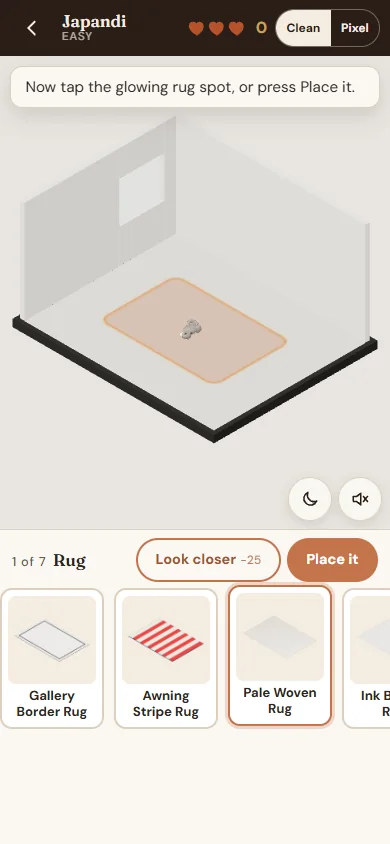
Each spot shows four cards. Two of them fit the style and two do not. The order is shuffled every time.
There are three ways to place a card. Use whichever feels easiest.
Press a card and drag it up into the room, onto the glowing spot. On a wide screen the tray sits at the side, so drag to the left. You don't need to be exact: the spot catches a drop that lands close to it.
Tap a card to pick it up (it lifts and gets an orange outline), then tap the glowing spot in the room.
Tap a card, then press Place it. This works well with a keyboard too.
Changed your mind? Tap the same card again to put it down.
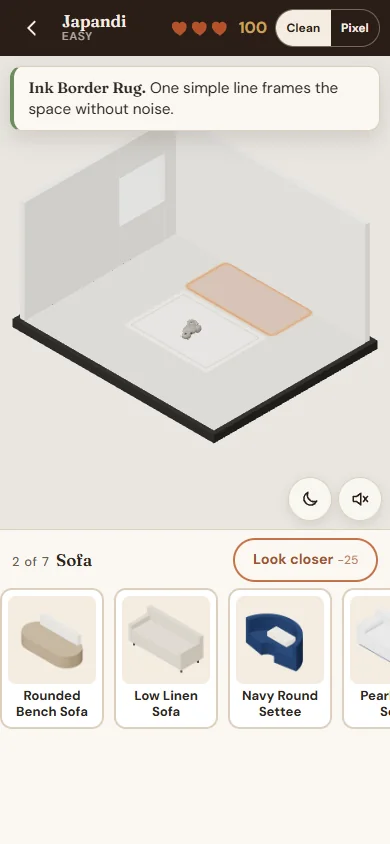
The piece drops into the room with a little bounce and locks in place. A short line tells you why it fits, then the next spot lights up.
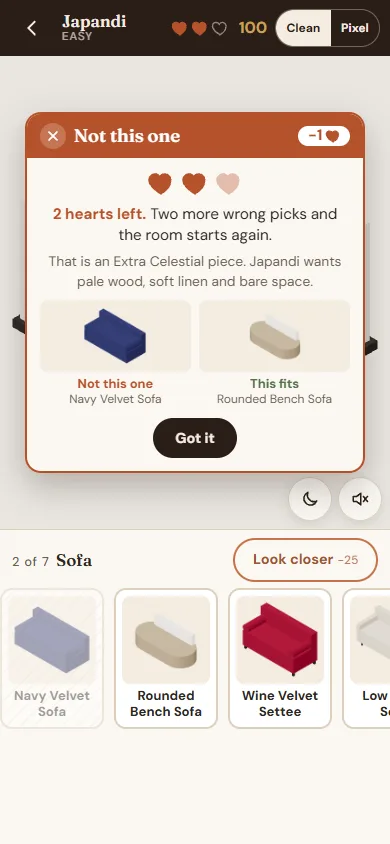
The card bounces back and a Not this one card pops up over the room. It shows:
The card closes by itself after a few seconds, or press Got it.
The card you tried stays in the tray, faded. It cannot cost you a second heart.
You have three hearts per room. If you lose all three, an Out of hearts card says the game is over for this room. The room then starts again: it empties, your score goes back to 0, and you get fresh cards. No pressure. Press Try again whenever you like.
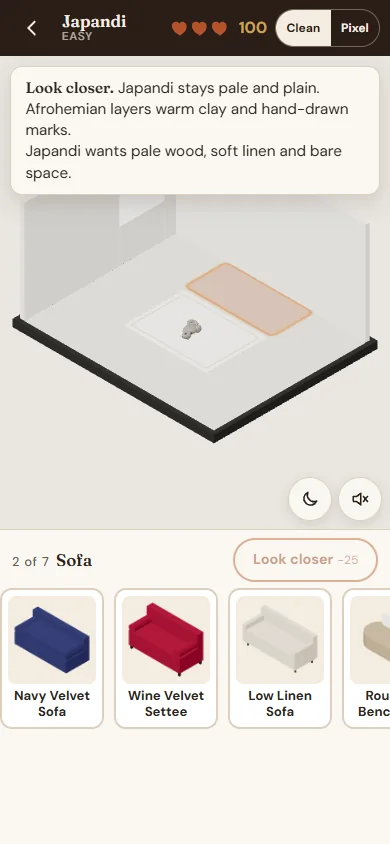
Not sure? Press Look closer. It shows how to tell this style apart from its closest look-alike, plus what the style wants. The spot also gives a soft gold glow.
It never costs a heart. It takes 25 points off this one spot instead, so a right pick scores 75 instead of 100. You can use it once per spot.
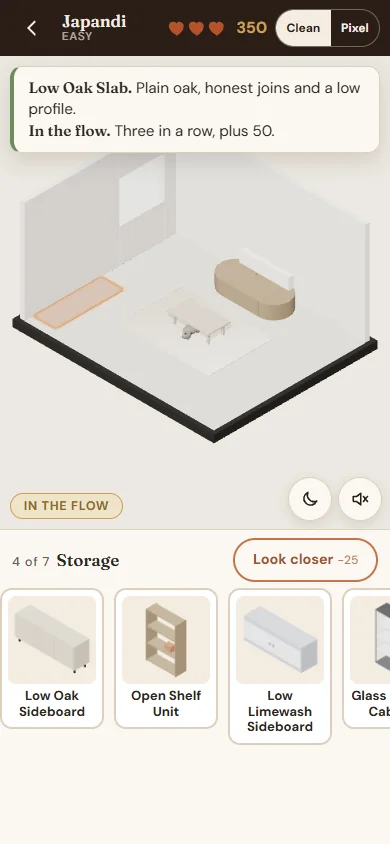
Three right picks in a row light a small In the flow badge and give you a bonus of 50 points. Keep going for another 50 at six in a row. A wrong pick simply ends the run, and nothing else is lost.
| What happened | Points |
|---|---|
| Right on your first try at a spot | 100 |
| Right after a wrong try at the same spot | 50 |
| You used Look closer at this spot | 25 less |
| Three right picks in a row (In the flow) | +50 |
| A finished room with no wrong picks at all (Perfect Eye) | +200 |
A perfect room scores 1,000: seven first-try picks (700), two In the flow bonuses (100) and Perfect Eye (200). Look closer does not stop you earning Perfect Eye. Only a wrong pick does.
Each style has its own level, shown on its card and in the top bar. The difference is how tricky the two wrong cards are.
| Level | When | The wrong cards |
|---|---|---|
| Easy | Your first room in a style | Pieces from styles that look very different |
| Normal | After you finish one room in that style | One piece from the style's closest look-alike, one from a far style |
| Hard | After you earn Perfect Eye in that style | Both from the closest look-alike, plus one sneaky piece made to fool you |
Odd One Out uses the same level as your Style a room game in that style.
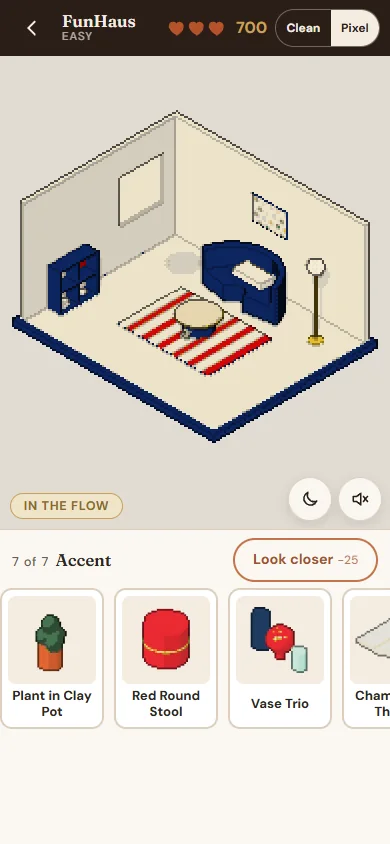
Watch the room come to life as you play: the light from the window drifts across the floor, the lamps glow softly, plants sway, and the cat wanders about. It might nap on the rug or curl up somewhere soft. Tap the cat and it trots or leaps away, or jumps down from the sofa or bed. Tapping the cat never counts as a pick and never costs a heart.
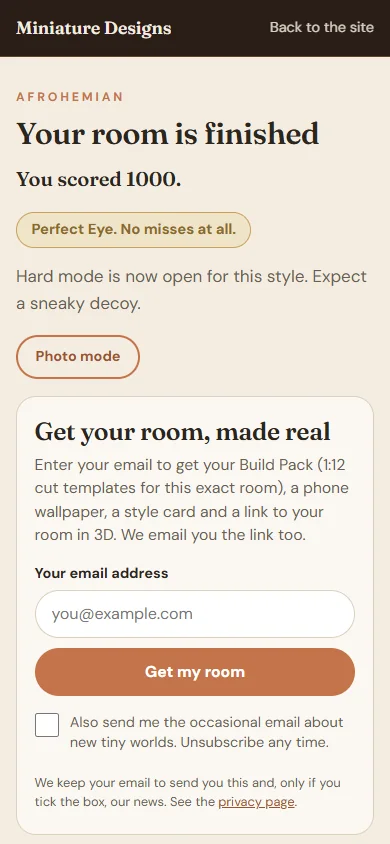
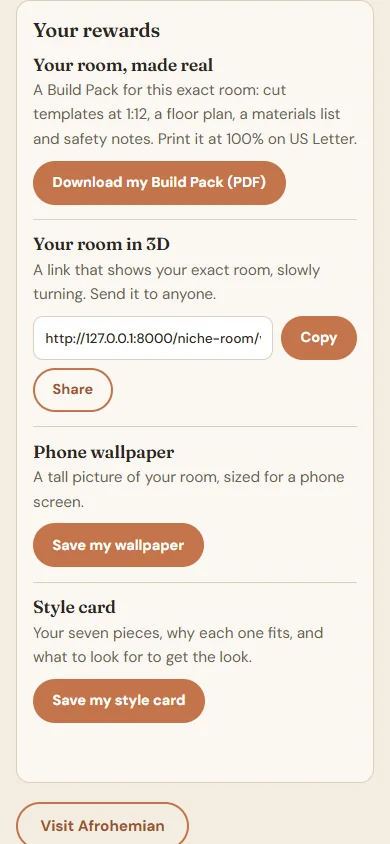
When the seventh piece lands, it is party time. Confetti in your style's own colours bursts over the room, a Room complete! banner counts up your score, and your seven pieces pop into the tray. The lights warm up and the room turns slowly so you can admire it. As it settles, one last burst of confetti, and then you see your score, and whether you earned Perfect Eye. With the sound on, you also hear a little fanfare.
Enter your email address to unlock four rewards for this exact room. The box to get our occasional news is not ticked: tick it only if you want to. We also email you the link to your room.
Come back to the same style on the same device and you won't need to enter your email again.
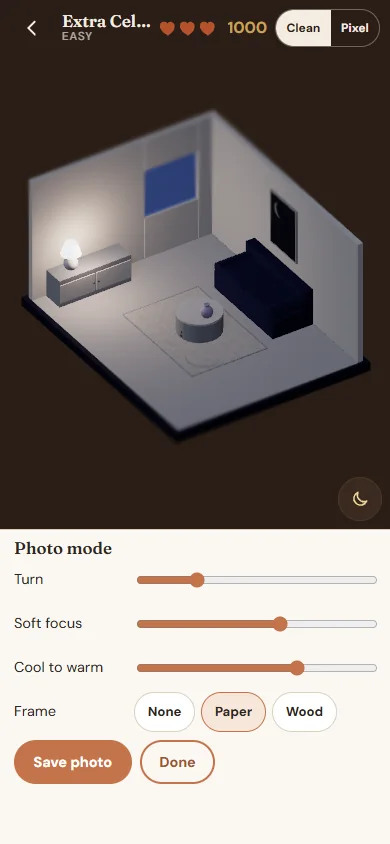
On the finished screen, press Take a snapshot of your Room (next to your score) to open photo mode and take a picture of your room. It is free, with no email needed.
Use the moon button first if you want an evening photo. Press Save photo to keep it, then Done to go back.
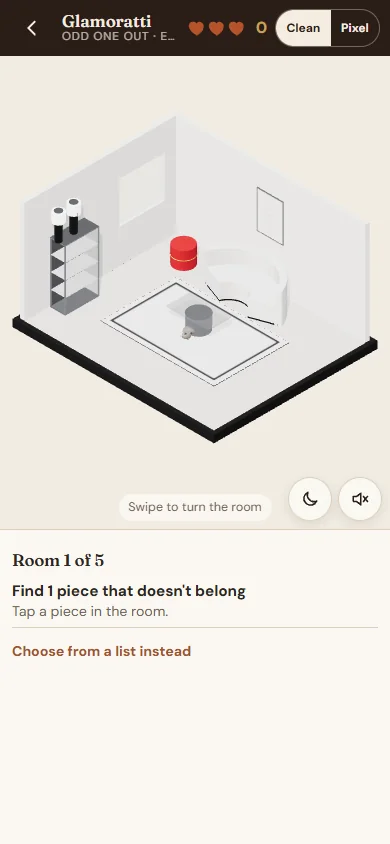
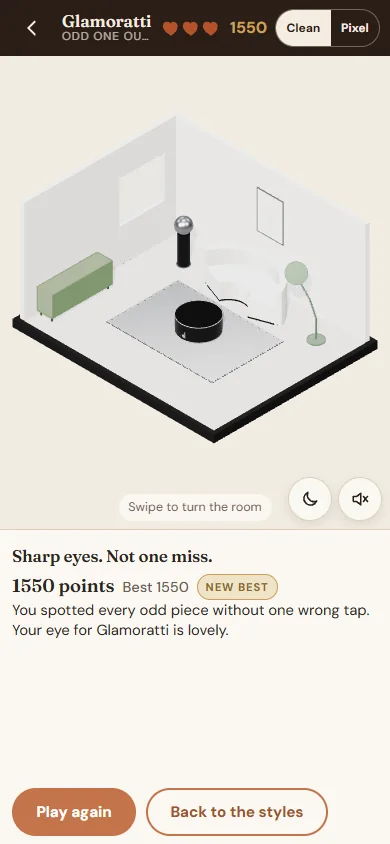
Choose Odd One Out on the start page, then a style. You see five finished rooms in a row. Each one has pieces that don't belong to the style.
| Odd One Out | Points |
|---|---|
| Find an odd piece | 100 |
| Find it after a wrong tap in the same room | 50 |
| A room with no wrong taps | +150 |
A perfect run scores 1,550. Your best score for each style shows on its card when Odd One Out is chosen. If you run out of hearts, the end screen shows the odd pieces you missed, with their lines, so you learn for next time.
Every wrong card belongs to another style. The best way to win is to learn each style's tell, the one thing that sets it apart from its closest look-alike.
Calm, pale and bare. Nothing extra.
Wants: Pale wood, soft linen and bare space.
Closest look-alike: Afrohemian. Japandi stays pale and plain. Afrohemian layers warm clay and hand-drawn marks.
More Japandi ideas at japandi.artblibs.com
Warm clay, deep indigo, made by hand.
Wants: Warm clay, indigo and hand-made marks.
Closest look-alike: Japandi. Afrohemian layers warm clay and hand-drawn marks. Japandi stays pale and plain.
More Afrohemian ideas at afrohemian.artblibs.com
Controlled shine. Chrome, glass and calm.
Wants: Black gloss, chrome and glass, kept calm.
Closest look-alike: Neo Deco. Neo Deco repeats fans, chevrons and brass. Glamoratti is plain chrome, glass and black gloss.
More Glamoratti ideas at glamoratti.artblibs.com
Grounded pieces, one soft shimmer.
Wants: Matte, grounded pieces with one soft shimmer.
Closest look-alike: Glamoratti. Glamoratti is black gloss and chrome. Extra Celestial stays matte with one pearl shimmer.
More Extra Celestial ideas at extracelestial.artblibs.com
Deco confidence for a lived-in home.
Wants: Emerald, brass and one confident curve.
Closest look-alike: Glamoratti. Neo Deco is geometry and brass. Glamoratti is plain chrome and glass.
More Neo Deco ideas at neodeco.artblibs.com
Play, rhythm and restraint.
Wants: One bold lead on a calm cream ground.
Closest look-alike: Neo Deco. FunHaus uses soft awning stripes and scallops. Neo Deco uses sharp fans and black lacquer.
More FunHaus ideas at funhaus.artblibs.com
Your Build Pack turns the room you styled into a real miniature. The room box is 20 × 16 × 10.8 cm, at 1:25: 1 cm in the box is 25 cm in real life. That is small enough to sit on your desk. The furniture is drawn a little bigger, at 1:23, so the pieces are easier to cut and fold. They still fit in the room. Every piece in the game is built from simple shapes with real sizes, so the pack fits your exact room.
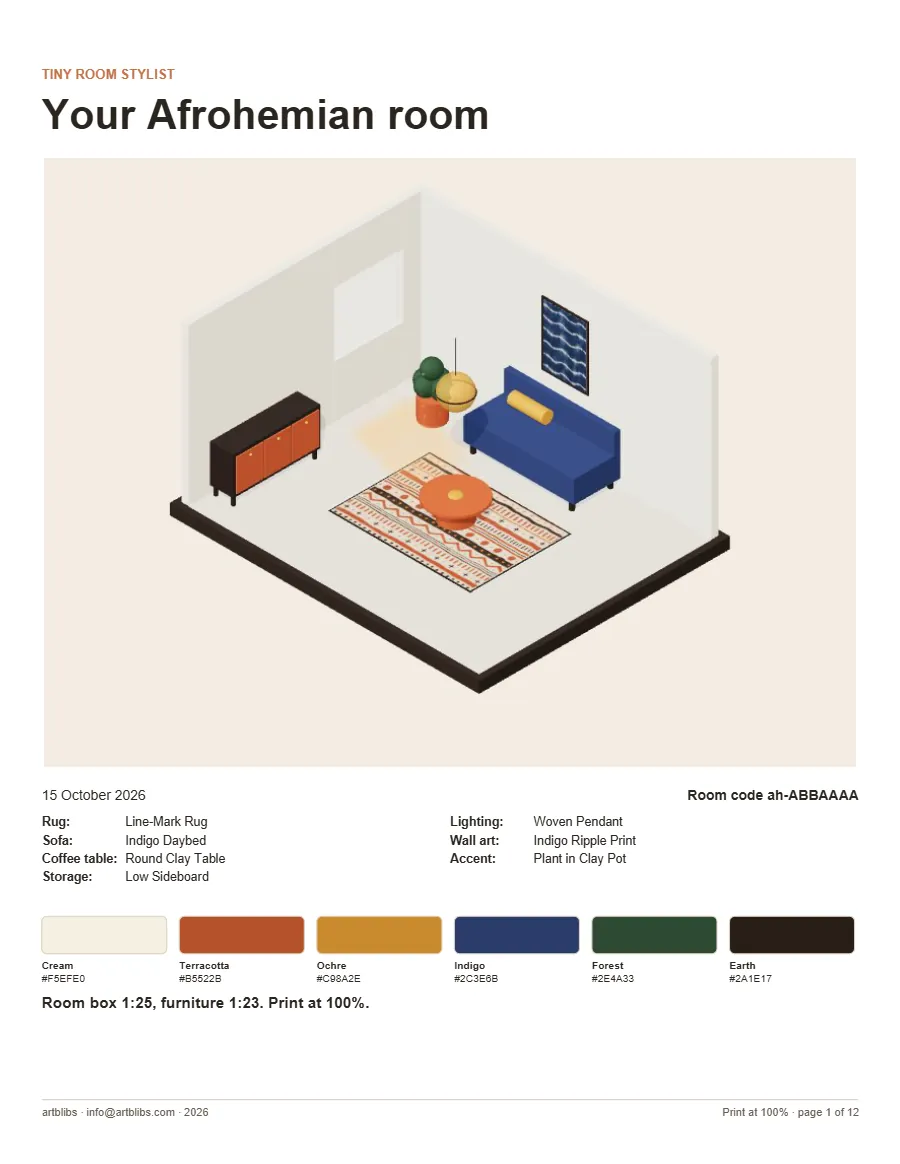
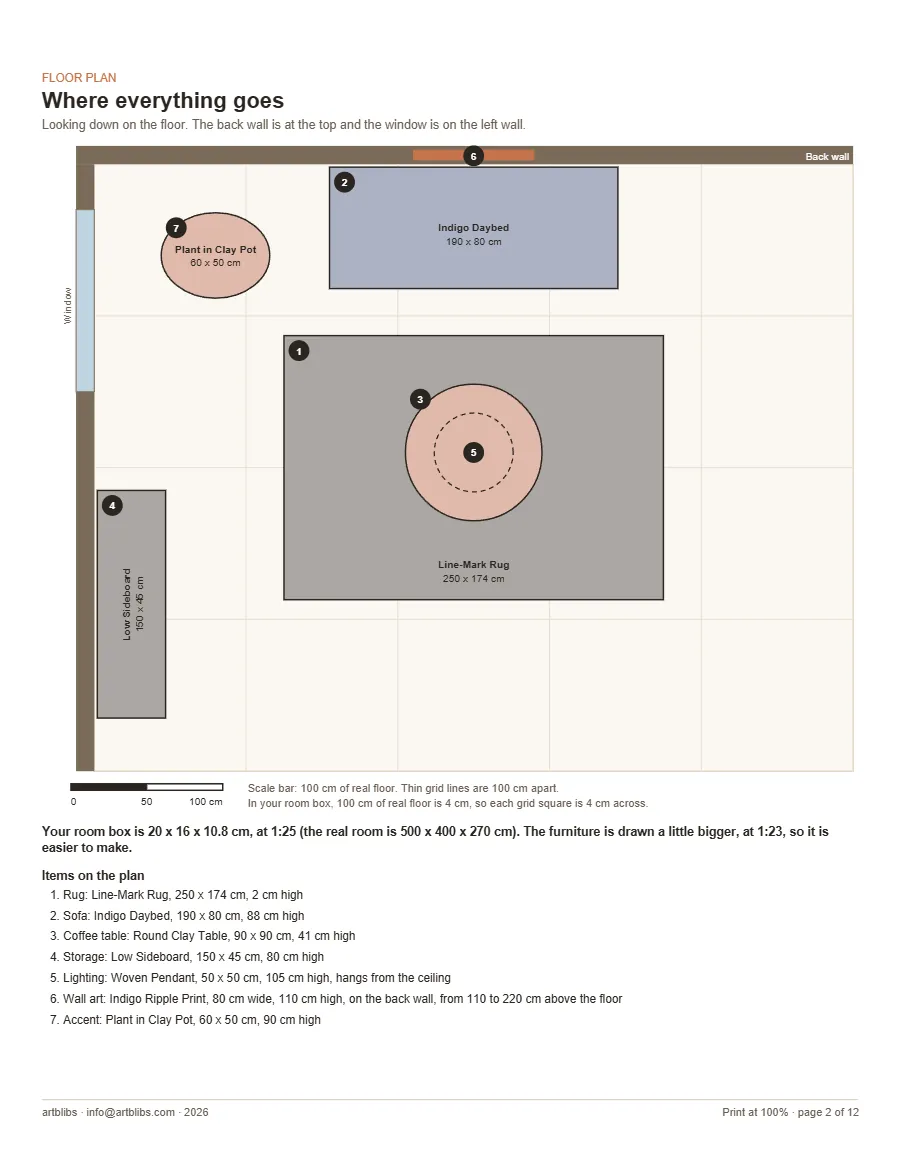
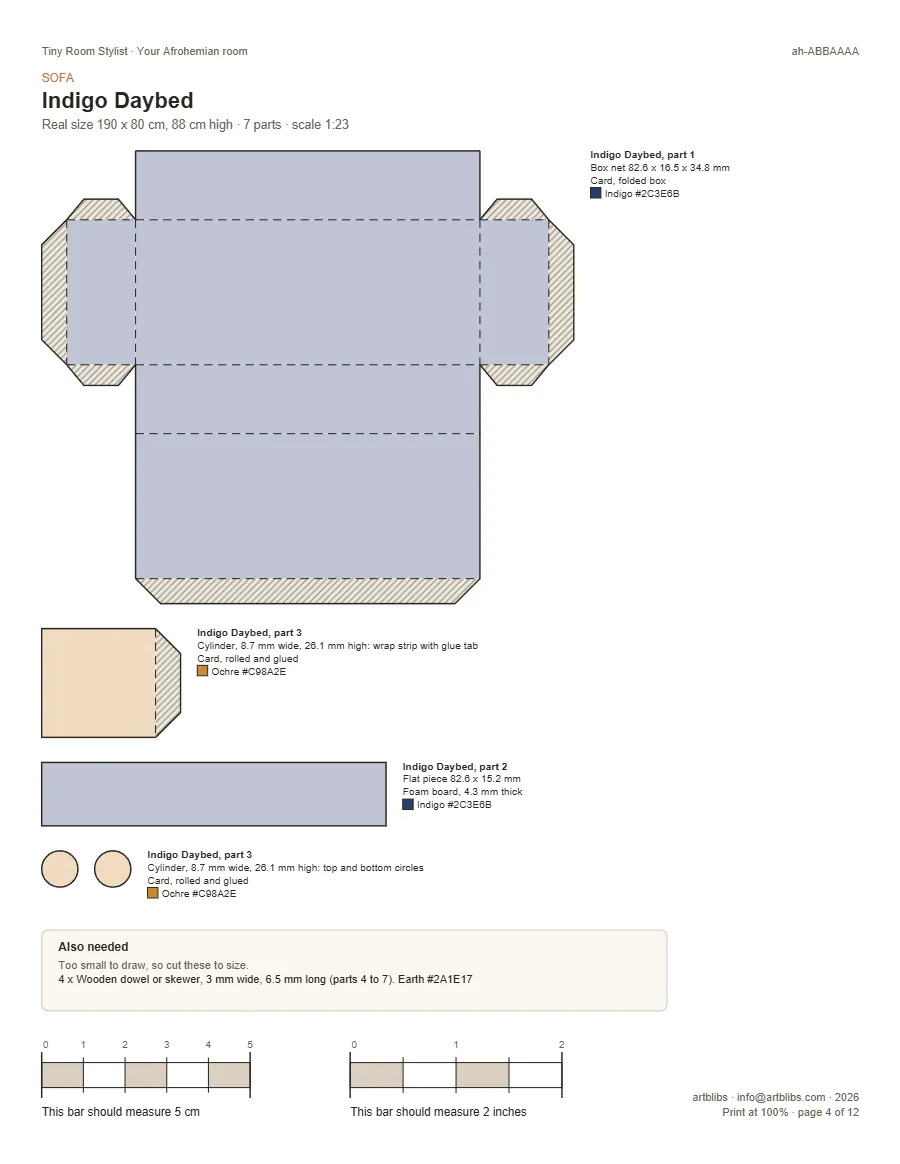
Print on US Letter at 100%. Some printers call this "Actual size". Never choose "Fit to page". Then measure the two check bars at the bottom of every template page: one should be exactly 5 cm and the other exactly 2 inches. If they are not, check your printer's scale setting and print again.
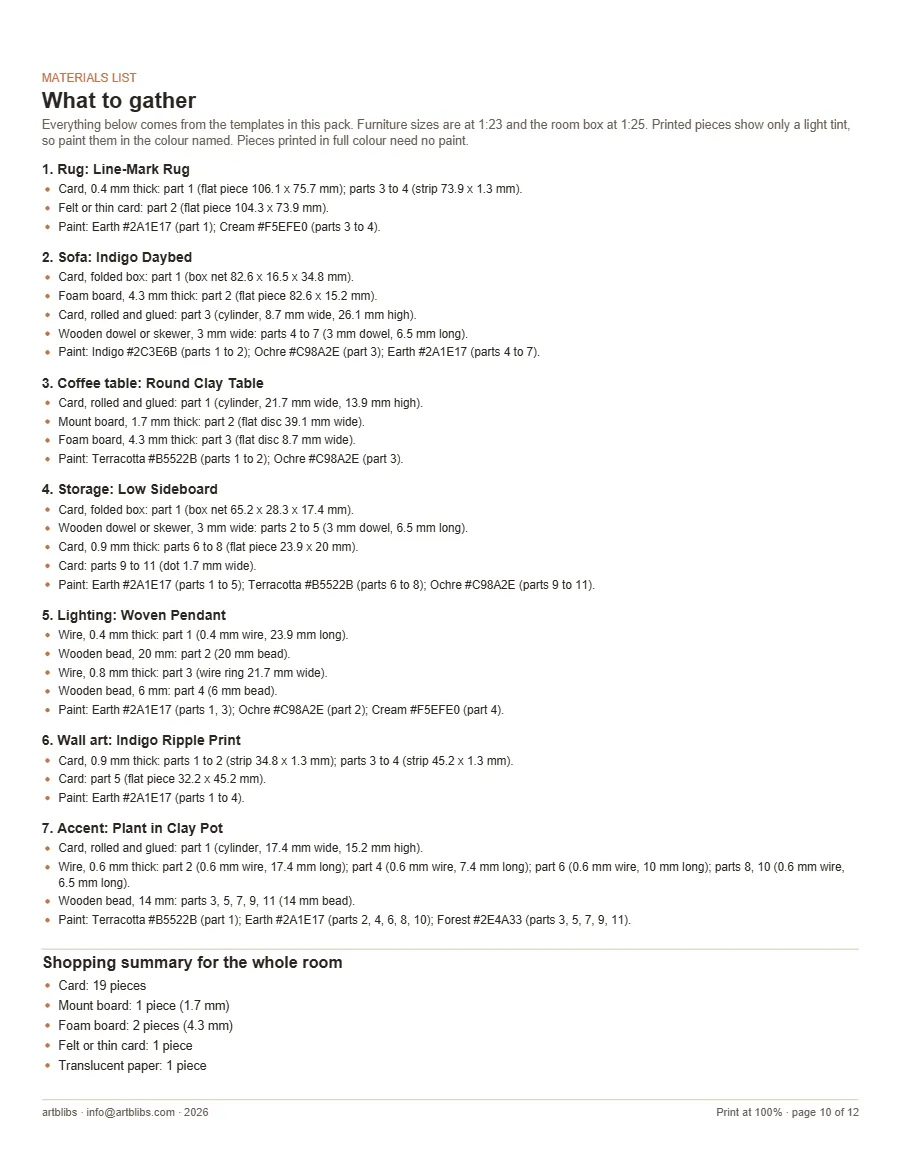
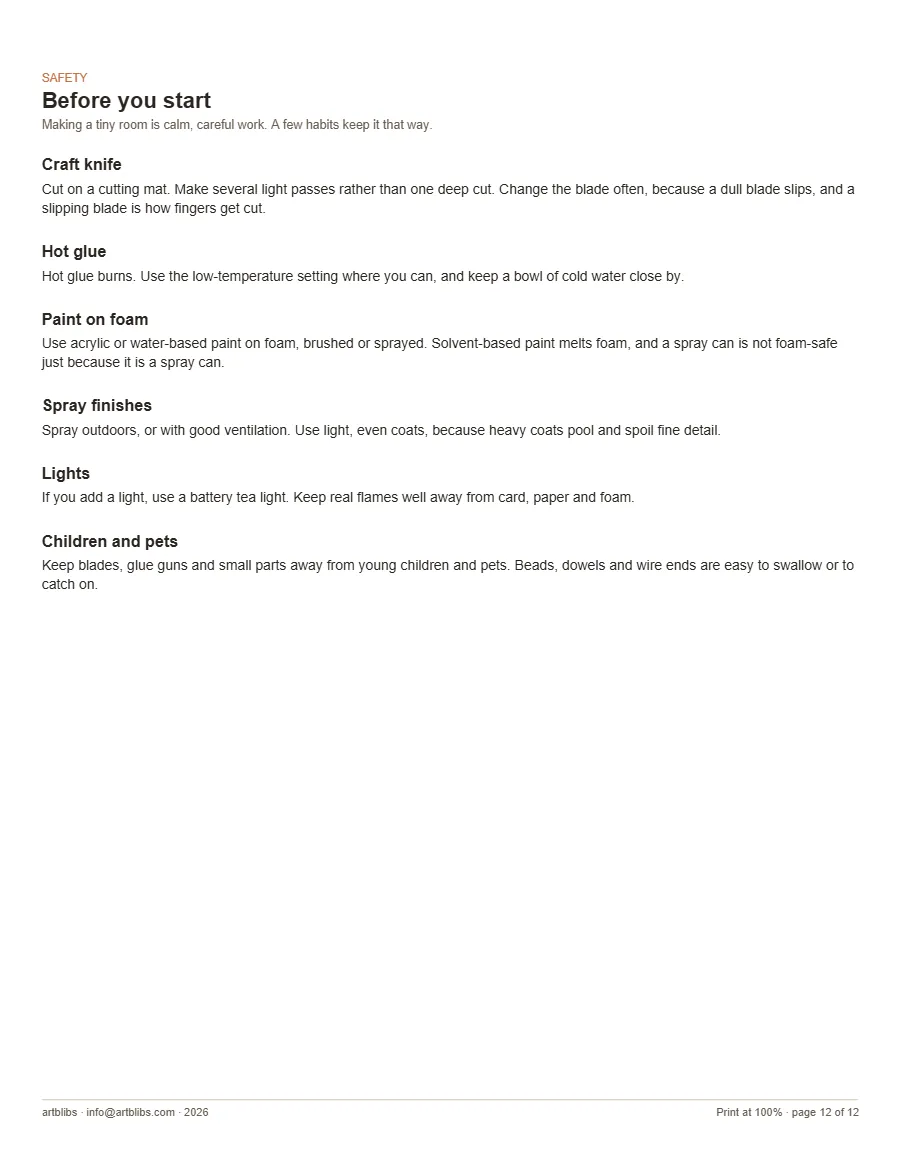
Stay safe. Cut on a cutting mat with light passes, and change blades often, because a dull blade slips. Hot glue burns, so keep a bowl of cold water close by. Only use acrylic or water-based paint on foam, because solvent spray paint melts it. Spray outdoors or with good ventilation. Keep blades, glue guns and small parts away from young children and pets.
Your finished rooms, levels and best scores are kept in your browser on this device. They are not saved if you play in a private window, or if you clear your browser data. They also don't move to another device.
Your room is safe. Press Retry, or try again a little later.
Check your spam or junk folder. You can also copy the link straight from the rewards panel.
Your printer is scaling the page. Choose 100% or "Actual size", turn off "Fit to page", and measure the check bars again.
Sound is off until you turn it on with the speaker button. On an iPhone, check the silent switch too.
Yes. Choose the room on the start page, under the game chooser. There are five rooms: living room, bedroom, kitchen, home office and bathroom.
Yes. Both games are free, and so are the rewards. We only ask for your email to send your room link and unlock the rewards. See our privacy page.
Anything else? Write to info@artblibs.com.